
Let’s be honest: running a small business in Canada comes with a unique set of headaches that our friends south of the border just don't understand.
You have to worry about the exchange rate turning a "reasonable" monthly software subscription into a budget-breaker. You have to navigate the minefield of CASL (Canada’s Anti-Spam Legislation), where one wrong email can theoretically cost you a fortune. And you have to find tools that play nice with Canadian tax standards.
So, when it’s time to pick a Customer Relationship Management (CRM) platform, you can’t just Google "best CRM" and pick the top result. You need something that works for here.
At Bickert Management Inc. (BMI), we’ve helped countless businesses migrate, fix, and optimize their systems. We’ve seen what happens when a business buys a "Ferrari" system they can’t drive, and we’ve seen the chaos of trying to run a company off sticky notes and Excel sheets.
Today, we’re breaking down the top CRM contenders for Canadian small businesses in 2025 Salesforce, HubSpot, and Zoho to help you figure out which one actually fits your DNA.
The "Canada Factor": Why Your Location Matters
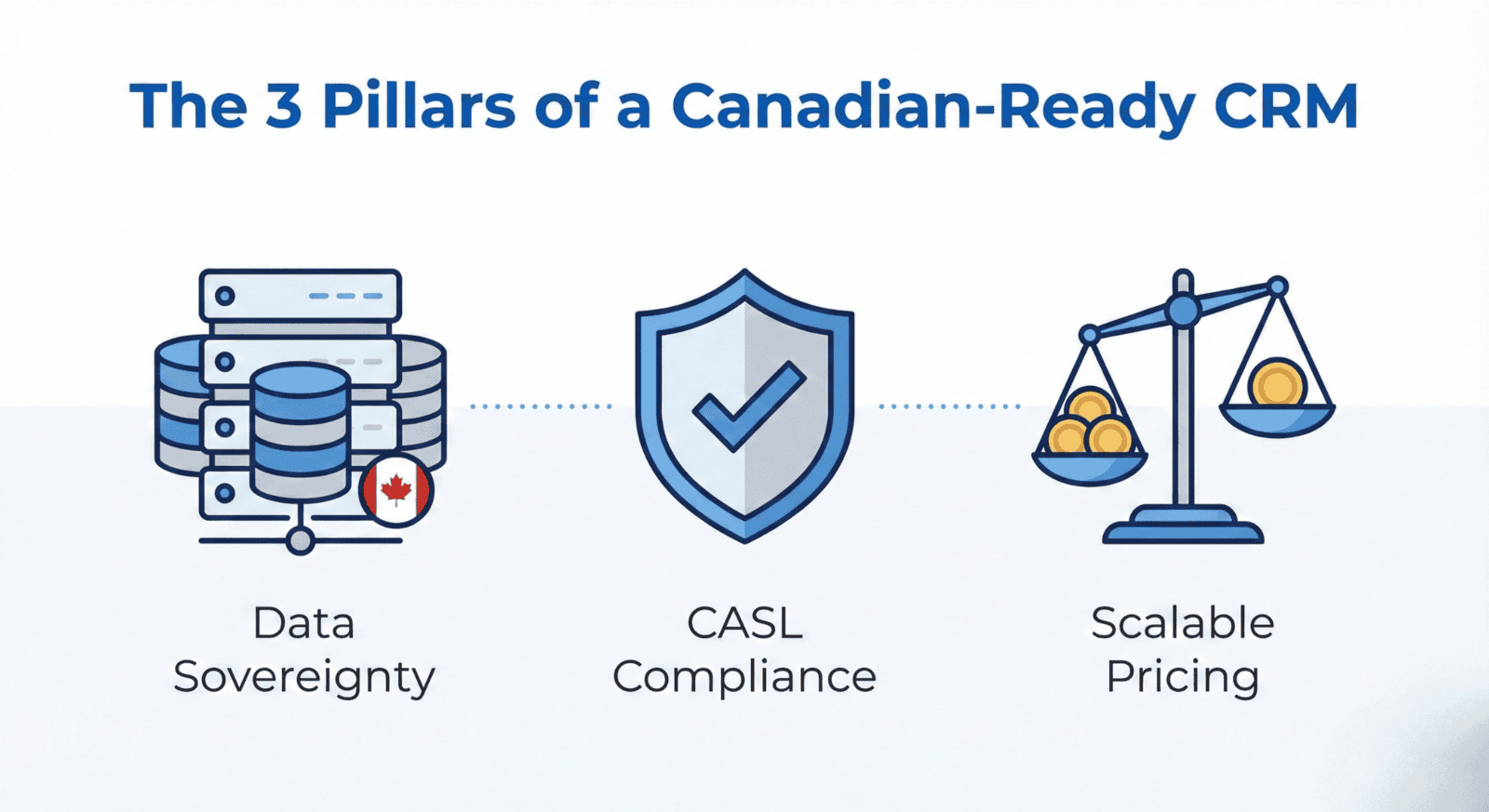
Before we look at the software, we need to talk about the two elephants in the room for any Canadian business owner: Compliance and Currency.
1. The CASL Compliance Trap
In the US, email laws are relatively loose (CAN-SPAM essentially says "just let them unsubscribe"). In Canada, CASL is strict. You need "express" or "implied" consent before you send that marketing blast.
If your CRM doesn't track when and how you got permission, you are taking a risk. You need a system that can automatically tag a contact as CASL: Consent Expired after 2 years of inactivity. Not all US-centric CRMs make this easy out of the box.
2. The "USD Shock"
Most major software is billed in USD. That $50/user/month license looks fine until the exchange rate shifts and you’re suddenly paying 35% more. Finding a partner or a platform that offers stable pricing (or transparent value) is critical for cash flow.
The Contenders: A No-Nonsense Comparison
We’ve narrowed the field down to the "Big Three" that we see most often in the Canadian market.
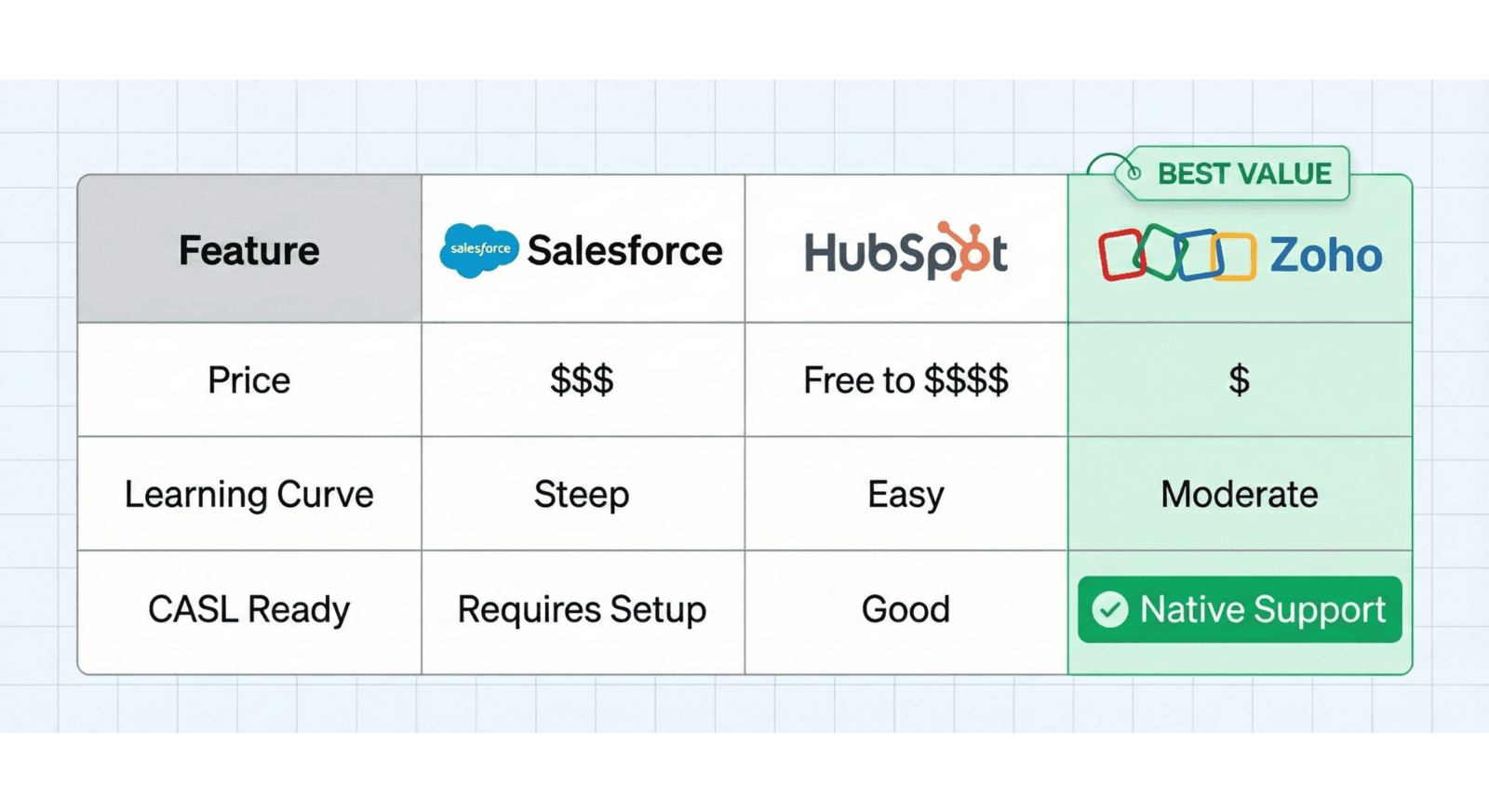
1. Salesforce: The "Enterprise Giant"
The Vibe: Powerful, limitless, and expensive.
Salesforce is the 800-pound gorilla of the CRM world. It can do anything. If you want to customize your CRM to brew your coffee in the morning, Salesforce can probably do it—if you have the budget to hire a developer.
Pros: unmatched customization; integrates with absolutely everything; industry standard for massive enterprises.
Cons: It is complex. For a team of 5–20 people, it often feels like buying a city bus to drive the kids to school. The learning curve is steep, and the "hidden costs" for add-ons and implementation consultants can be shocking.
Best for: Large corporations or rapidly scaling tech startups with a dedicated IT team.
2. HubSpot: The "Freemium Trap"
The Vibe: slick, user-friendly, and deceptively pricey.
HubSpot is famous for its "Free CRM." And honestly? The free version is great. It’s intuitive and the marketing automation is beautiful. But there is a catch.
Pros: Incredible user interface (UI); marketing tools are top-tier; very easy to start without training.
Cons: The price jumps are aggressive. You might start free, but the moment you need advanced automation or reporting, you’re bumped into a tier that can cost thousands of dollars a month. We call it the "Freemium Trap"—easy to get in, expensive to stay.
Best for: Marketing-heavy agencies who prioritize a pretty interface over complex backend operations.
3. Zoho CRM: The "Goldilocks" Solution
The Vibe: The Swiss Army Knife. Expertly capable, surprisingly affordable.
Zoho has quietly become the powerhouse for SMBs (Small and Medium Businesses). It offers the customization of Salesforce without the complexity, and the features of HubSpot without the steep price cliff.
Pros:
CASL Ready: Zoho Campaigns and CRM have built-in consent management tools that are excellent for Canadian standards.
The Ecosystem: It connects seamlessly with Zoho Books (accounting), Inventory, and Desk.
Price: You get enterprise-level features for a fraction of the cost of the competitors.
Cons: The UI isn't quite as polished as HubSpot’s out of the box (though it’s fully customizable).
Best for: Small to mid-sized businesses that want a serious "Operating System" for their company without going bankrupt.
Why We Lean Towards Zoho for Canadian SMBs
We aren't just saying this because we are a Zoho Premium Partner; we say it because we’ve crunched the numbers for our clients.
When you look at the Total Cost of Ownership (TCO) over 3 years, Zoho almost always wins.
But beyond price, it’s about the Unified Data. In Canada, you don't just want a CRM; you want a business command center. You want your sales team to see if an invoice is paid (Zoho Books integration). You want your support team to see if a customer is "hot" for an upsell (Zoho Desk integration).
The "Canvas" Advantage
One common complaint about CRMs is that they look boring or cluttered. Zoho recently introduced Canvas, which lets you redesign the look of your CRM interface like you’re using a drag-and-drop website builder.
Does your sales team hate entering data? Simplify their view so they only see the 3 buttons they need. That’s how you get adoption. That’s how you get clean data.
Want to see how we set this up? Check out some of our tutorials on our YouTube Channel to see the backend in action.
Making the Decision: Don't Guess, Audit.
If you are currently using spreadsheets, sticky notes, or a CRM you hate, don't just jump to the next shiny tool. You need a plan.
Migrating data is messy. If you move "dirty data" (duplicates, wrong emails, missing info) into a new CRM, you’re just moving the chaos to a more expensive house.
Here is your checklist for a CRM switch:
Audit your current process: Where are leads falling through the cracks?
Define your "Must-Haves": Do you need CASL management? Do you need inventory tracking?
Clean your data: Get rid of those contacts from 2015 who never replied.
Get Expert Help: You don’t fix your own plumbing; don’t try to architect your own CRM database if you’ve never done it before.
Ready to Build Your Business Operating System?
Choosing a CRM is one of the biggest decisions you’ll make this year. It’s the engine of your revenue. You can spend weeks demoing software, or you can talk to a team that has already done the homework.
At BMI, we specialize in turning "messy" into "manageable." Whether you need a full implementation or just a "PowerPlan" to fix a specific issue, we’re here to help you get it right the first time.
Stop fighting with your software. Browse our PowerPlan Shop to see our ready-to-go solution packages, or visit our Resources Page to learn more about how we work.
Let’s get your business organized, compliant, and ready for growth.
Disclaimer: Pricing and feature sets mentioned are based on 2025 market data and subject to change.