
Introduction: The "Drive-By" Revenue Loss
Here is a scenario that happens every day in field sales:
Your sales rep, Sarah, drives 45 minutes to a client meeting in the north end of the city. The meeting ends 20 minutes early. She gets back in her car and drives 45 minutes back to the office.
What Sarah didn't know was that three of your hottest prospects were located just two streets away from where she parked. She literally drove past $50,000 in potential revenue because she couldn't "see" it.
This is Territory Blindness.
For decades, CRM systems have been nothing more than glorified spreadsheets—infinite rows of names and phone numbers. But your customers don't live in a spreadsheet. They live in the real world. They live on a map.
If you are managing your territory using a list view, or worse, typing addresses into Google Maps one by one, you are operating with one eye closed. You are missing the patterns, the clusters, and the "nearby" wins that drive efficiency.
In this deep dive, we are exploring the all-new Zoho CRM Map View. This isn't just a minor update; it is a fundamental shift in how Field Sales teams operate. We will break down every new feature—from geometric searching to custom pin logic—and show you how to turn your database into a visual "War Room."
Section 1: It’s Not Just for Leads (Visualizing Custom Modules)
The first thing to understand about the new Map View is that it isn't limited to just "People."
In the past, mapping tools were often restricted to the standard Leads, Contacts, and Accounts modules. But what if your business is different?
Real Estate: You need to map "Properties" (a Custom Module).
Construction: You need to map "Active Job Sites."
Logistics: You need to map "Warehouses."
The new update allows you to visualize any module (Standard or Custom) that has an address field.
Why This Matters
Cognitive load is real. If you look at a list of 50 properties with addresses like "123 Maple St" and "125 Oak St," your brain has to work hard to figure out if they are close to each other. When you see those same 50 properties as pins on a map, your brain processes the information instantly. You immediately see: "Oh, we have 10 listings in this one specific neighborhood. We should run a targeted flyer campaign there."
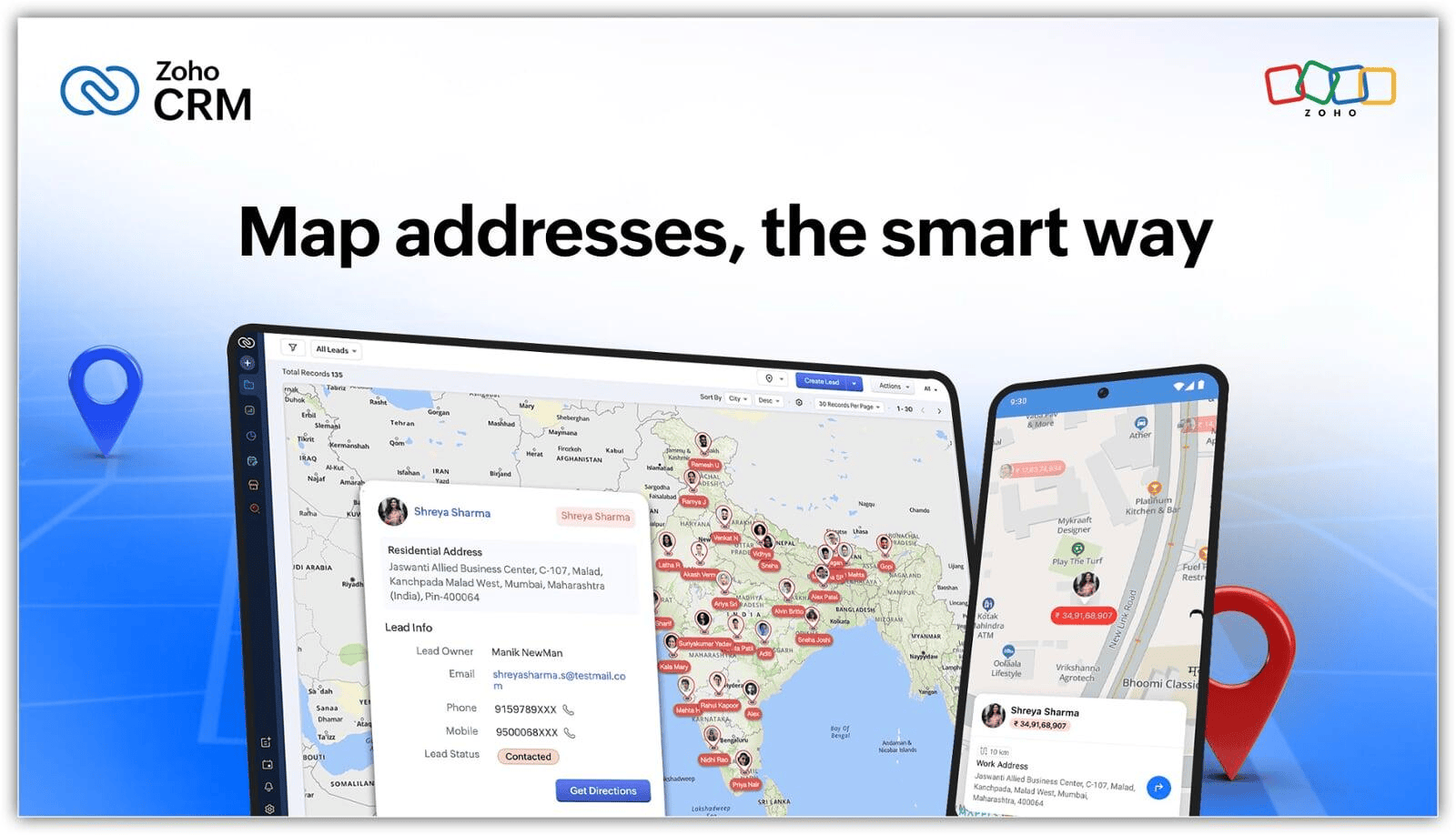
Image source: Zoho
Section 2: Pin Intelligence (Don't Just See Locations, See Value)
A map with 100 identical red dots is useless. It’s just noise. To make strategic decisions, you need to know which dots matter.
The new Map View introduces Custom Pin Logic. This allows you to change the Color and Shape of the pins based on the data inside the record (specifically, Picklist values).
The "War Map" Strategies:
1. The "Status" Map (For Sales Reps) Imagine opening your map and seeing:
Green Pins: "New Leads" (Nobody has called them yet).
Yellow Pins: "Negotiation" (Active conversations).
Red Pins: "Lost Deals" (Don't bother visiting).
Blue Pins: "Customers" (Stop by for a relationship-building coffee).
Suddenly, your route planning isn't random. You drive toward the Green and Yellow pins.
2. The "Revenue" Map (For Managers) You can map your Accounts based on "Tier."
Gold Star: Clients worth $50k+.
Silver Circle: Clients worth $10k+.
Bronze Triangle: Clients worth <$5k. You can instantly see if your high-value clients are clustered in a specific area that needs more support.
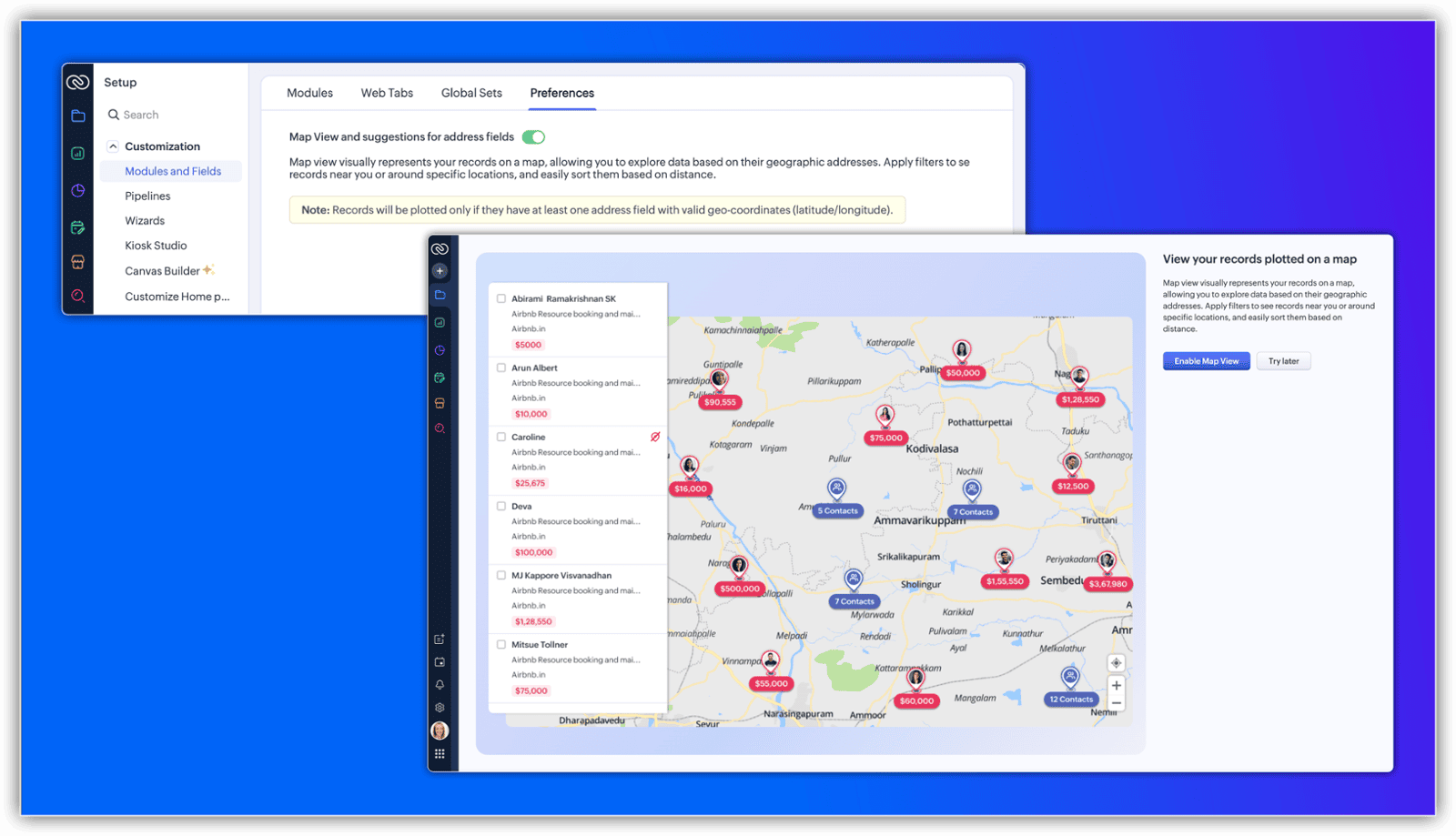
Image source: Zoho
Section 3: The "Radius" Search (Converting Dead Time)
Let's go back to Sarah, our sales rep from the introduction.
The most powerful tool for the road warrior is the Radius Search (Near Me). This feature allows you to drop a pin on your current location (or any location) and ask the CRM:
"Show me everything within a 5km, 10km, or 50km radius."
The "Anchor" Strategy
You aren't limited to your GPS location. You can search around anything. Let's say Sarah is planning a trip to Chicago next week to visit a major client, "TechCorp."
She searches for "TechCorp" in the Map View Global Search bar.
The map flies to TechCorp's office in Chicago.
She sets a 10km Radius around TechCorp.
The CRM reveals 5 other prospects in that exact radius.
Now, instead of flying to Chicago for one meeting, she books six. She has maximized the ROI of her travel budget before she even packed her bag.
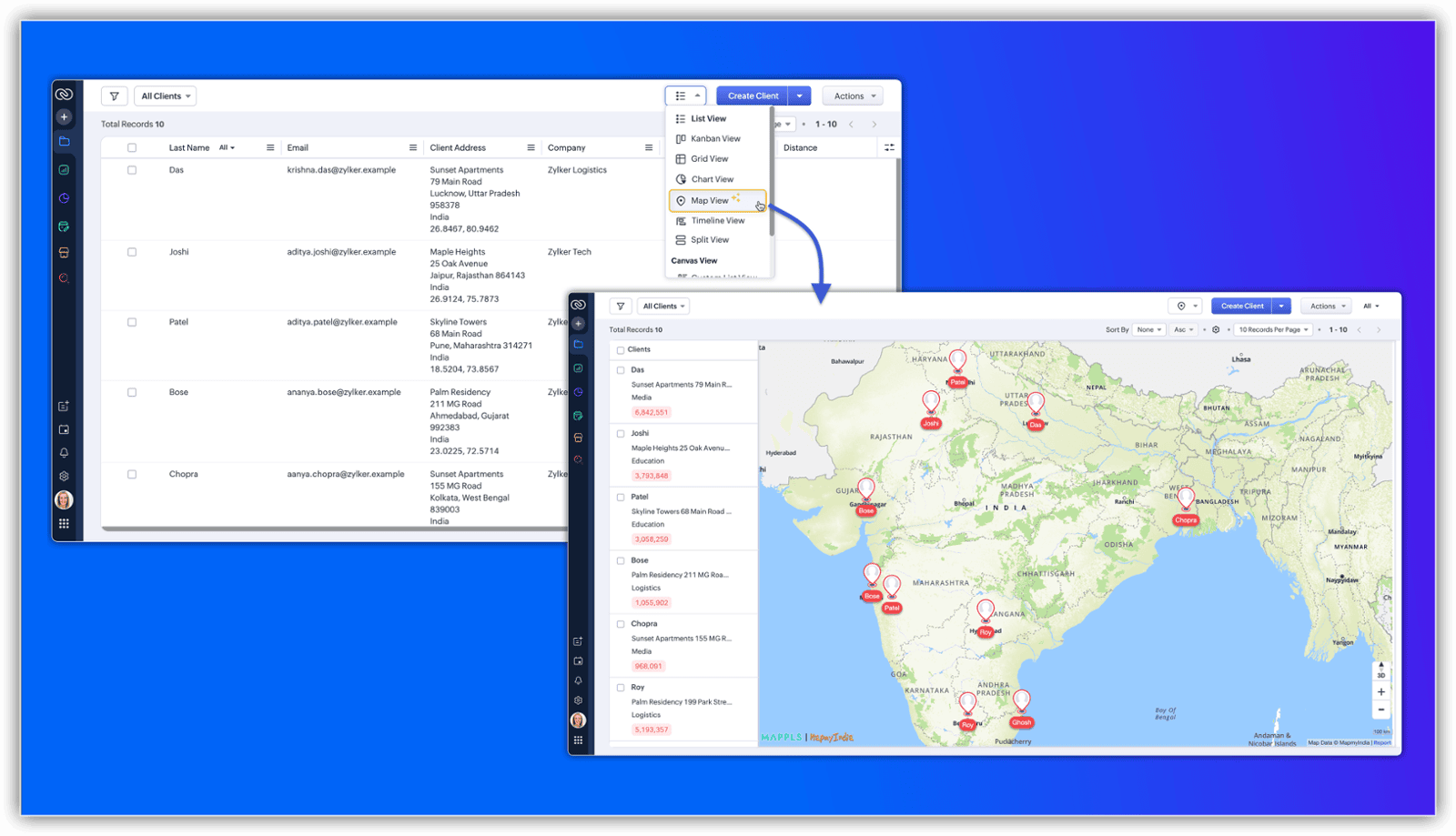
Image source: Zoho
Section 4: Advanced Territory Planning (The Geometric Tools)
Radius circles are great, but real-world cities are messy. Territories aren't perfect circles; they are divided by rivers, highways, and neighborhoods.
This is where the new Geometric Drawing Tools shine. You are no longer stuck with circles. You can draw:
Rectangles: Great for selecting a specific grid or city block.
Polygons (Lasso): The ultimate tool. You can click-and-drag to draw a custom, irregular shape around a specific neighborhood, excluding the area across the river.
The "Blitz" Campaign
As a Sales Manager, you can draw a custom shape around a specific industrial park on the map. The system will filter and show you only the records inside that shape. You can then select them all and assign a "Mass Task" to your team: "Blitz Campaign: Visit every business in this industrial park on Tuesday."
This turns Territory Management from a spreadsheet exercise into a tactical military operation.
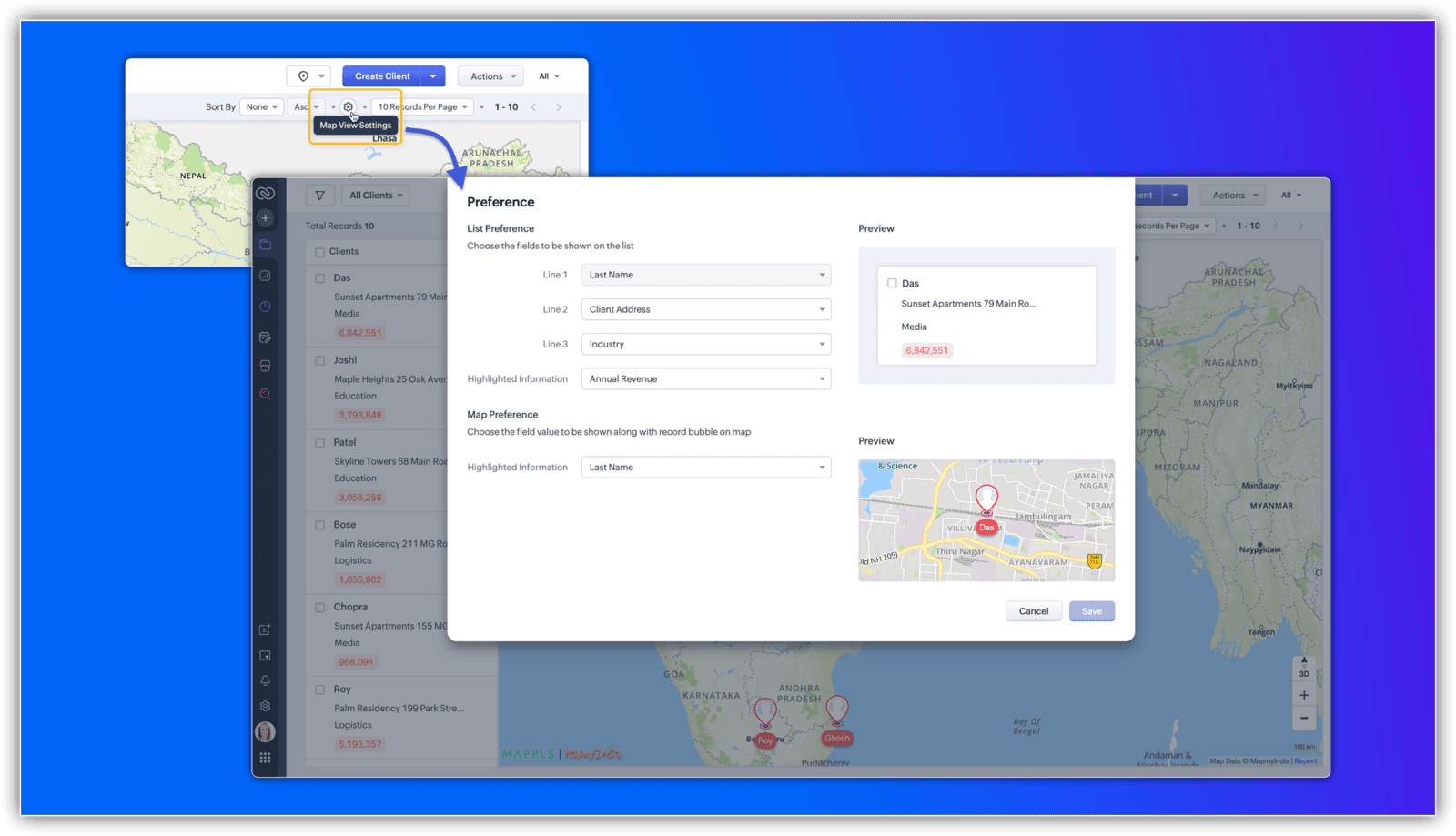
Image source: Zoho
Section 5: The "Locate from List" Workflow
Sometimes, you don't want to see everything. Sometimes, you just want to map a specific list of people you plan to call today.
Zoho CRM now allows you to bridge the gap between the List View and the Map View.
How it works:
Go to your "Leads" module List View.
Filter the list (e.g., "Leads created this week").
Select the 10 specific leads you want to visit.
Click "Locate on Map" in the top menu.
The map opens, but it is clean. It shows only those 10 specific pins. This is perfect for planning a focused "Day Route" without being distracted by the thousands of other records in your database.
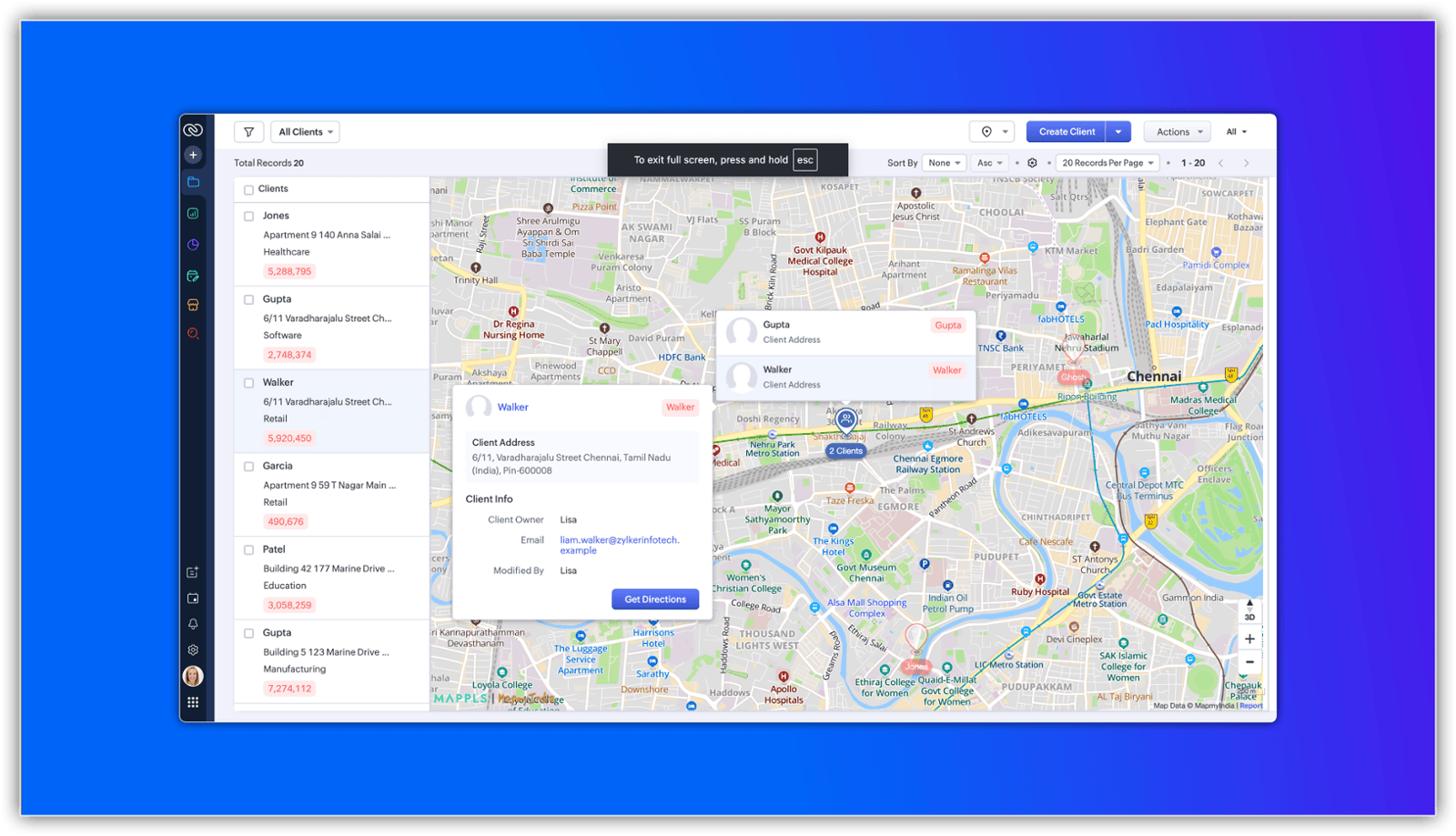
Image source: Zoho
Conclusion: Geography is Data
For too long, we have treated "Location" as just a text field to type into an invoice. But in 2026, Location is one of the most powerful data points you possess.
Whether you are a real estate brokerage visualizing listings, a logistics company tracking vendors, or a B2B sales team hunting for leads, the map is the truth.
This update to Zoho CRM takes the "guesswork" out of travel. It ensures that every mile driven generates revenue.
Is your sales team driving in circles, or are they driving revenue?