
Introduction: The "Incomplete Profile" Problem
We have all been there. You get a new lead. Maybe they signed up for your newsletter, or maybe you met them at a trade show. You have a name and maybe an email address.
But what about the rest?
What is their job title?
How many employees does their company have?
What is their physical address?
What is their phone number?
Usually, a salesperson has to stop selling, open a new tab, go to LinkedIn, go to the company website, search on Google, and copy-paste that information back into the CRM. It takes 10-15 minutes per lead.
Zia Data Enrichment eliminates this busy work.
Zia, Zoho’s AI assistant, crawls the open web to find this information for you. It acts like a 24/7 researcher, automatically finding public information about your Leads, Contacts, and Accounts and pulling it directly into your Zoho CRM.
In this comprehensive guide, we are going to walk through exactly how this feature works, the business scenarios where it saves the most time, and how to configure it to keep your database pristine.
What is Zia Data Enrichment?
Zia Data Enrichment is an AI-driven service that retrieves public data about a person or company and updates your CRM records.
It works for three main modules:
Leads
Contacts
Accounts (Companies)
Instead of typing in "123 Business Rd," you simply enter the company name or email, and Zia says: "Hey, I found their address, website, and phone number online. Do you want me to add it?"
It turns a partial record into a complete profile in seconds.
The Two Core Business Scenarios
There are two main ways you will use this feature in your daily operations.
Scenario 1: Creating a New Record (The "Fast Entry" Method)
Imagine you are on the phone with a prospect. You are rushing to type their details into the CRM. You type their email address: john@acmecorp.com.
Before you even finish typing, Zia recognizes the domain. She searches her database and public sources. She prompts you: "I found more info for John at Acme Corp."
With one click, Zia fills in:
Company Name
Website
Phone Number
Billing Address
Employee Count
You didn't have to ask the customer for any of that. You look professional, prepared, and you saved 5 minutes of typing.
Scenario 2: enriching Existing Records (The "Database Clean-up")
What about the thousands of leads already sitting in your CRM? Many of them might be missing phone numbers or titles.
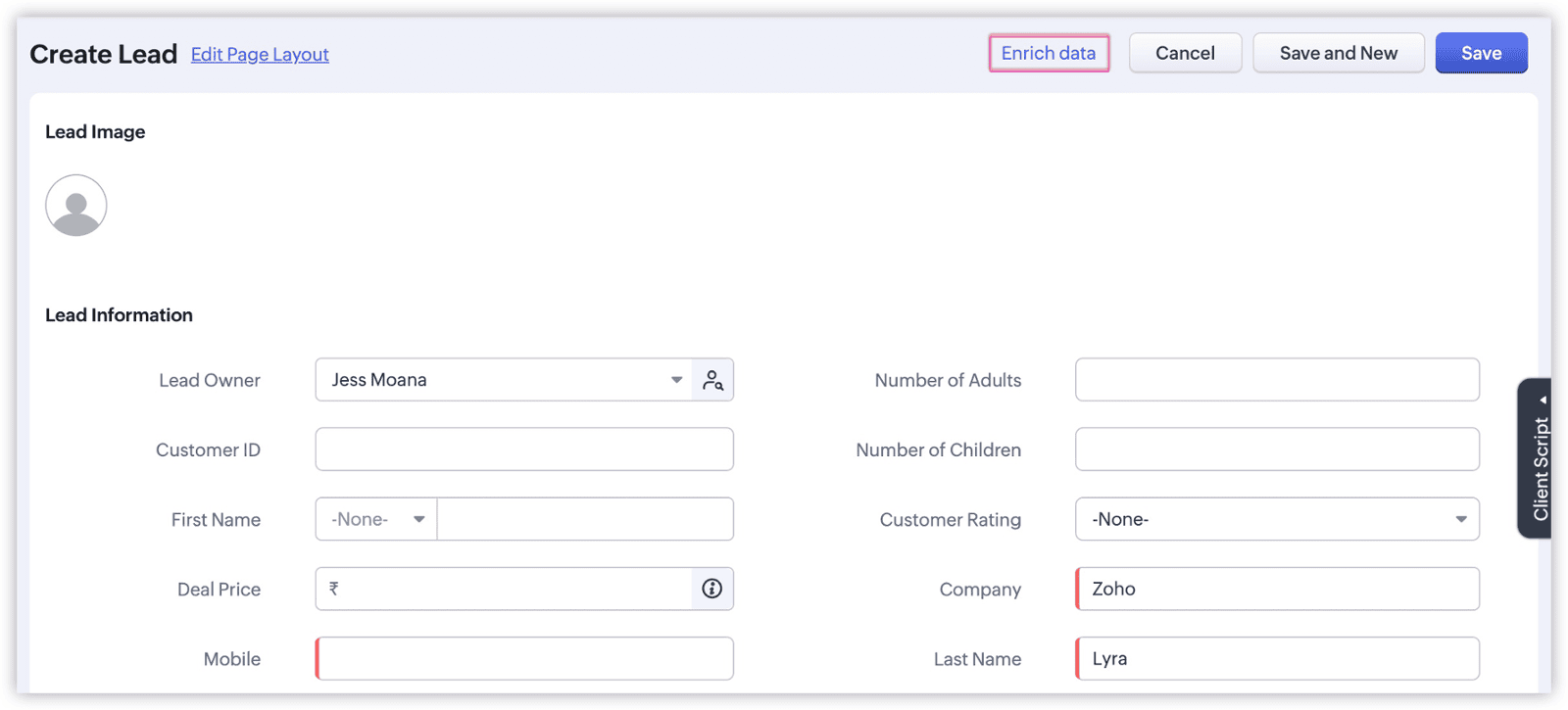
You don't need to re-enter them. When you open an existing record, you will see a link that says "Enrich Data" (usually next to the Business Card view or under the 'More' actions menu).
When you click it, Zia performs a fresh search. If she finds new or updated information, she will show you a side-by-side comparison:
Left Side: Your current (empty) data.
Right Side: The new data found on the web.
You can choose to accept all the new data or pick and choose specific fields.
How to Configure Data Enrichment (The Setup)
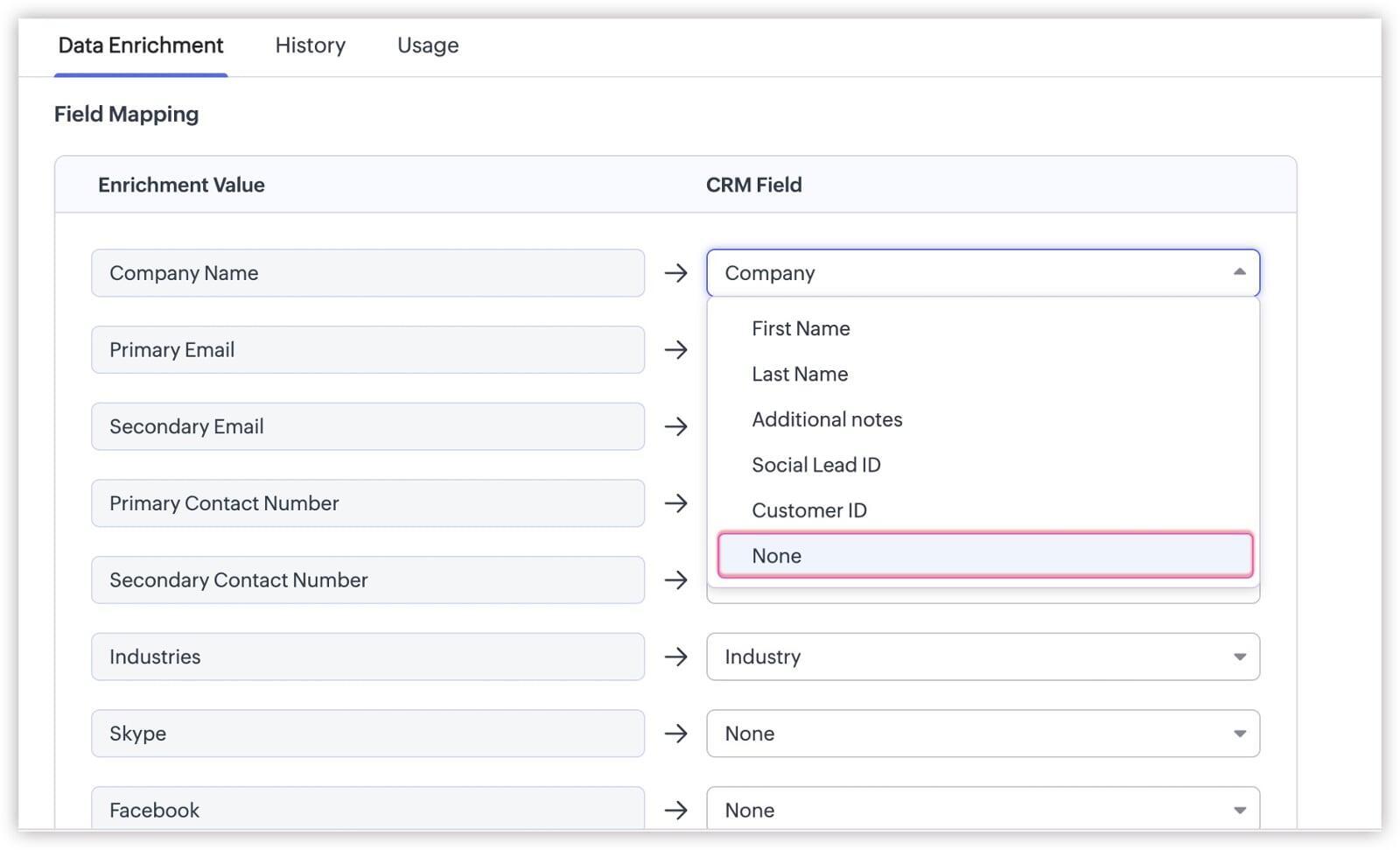
To make this magic happen, you need to tell Zia where to put the data she finds. This is called Field Mapping.
You can map Zia's findings to both Standard Fields and Custom Fields.
Step-by-Step Configuration:
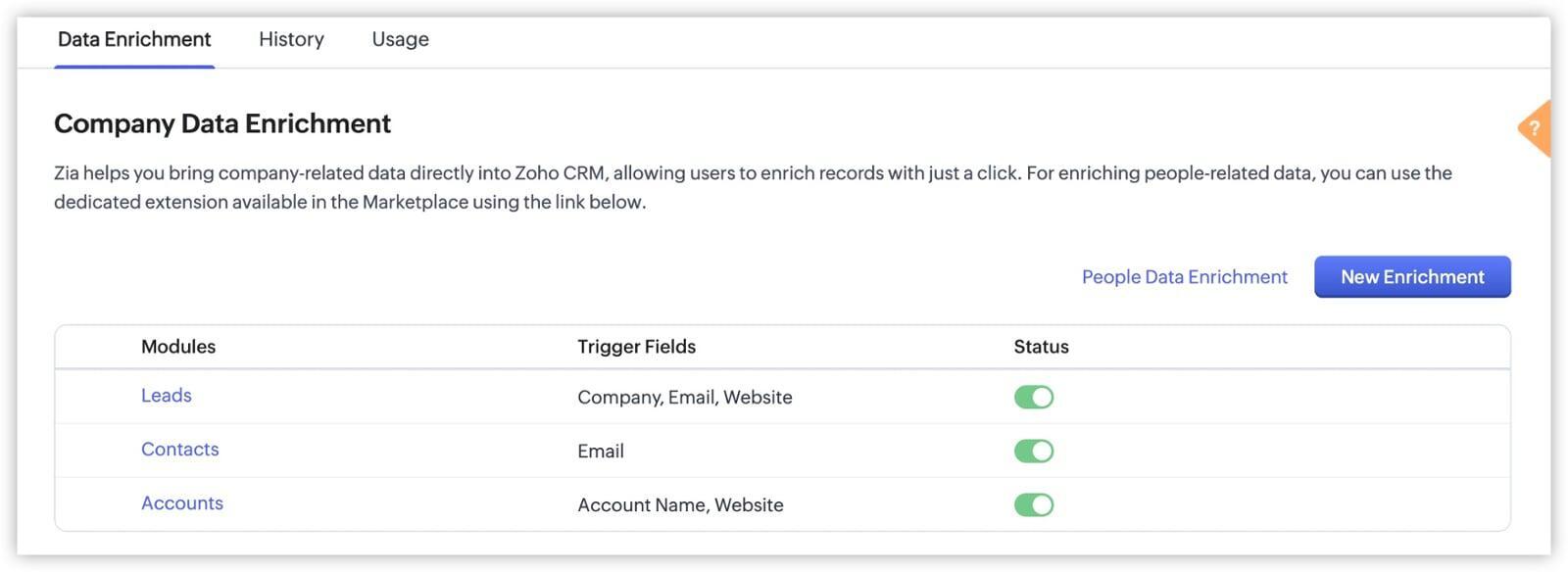
Go to Setup > Zia > Data Enrichment.
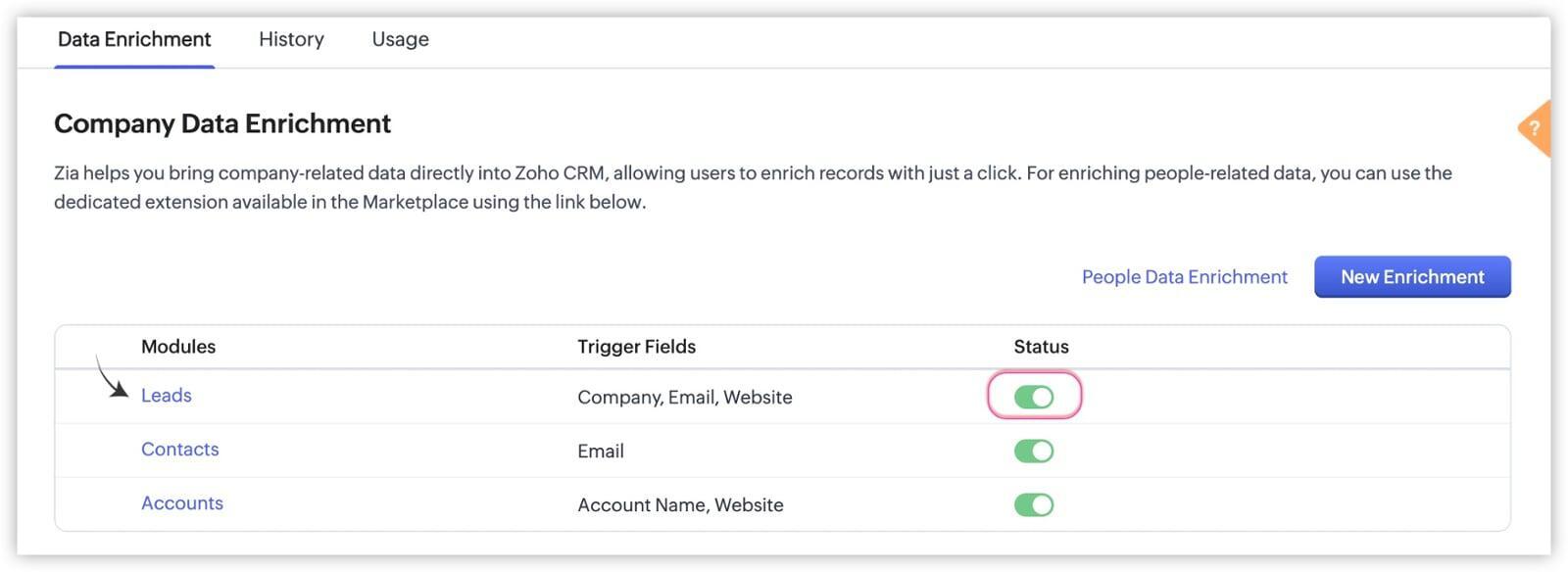
Enable the status for the modules you want (Leads, Contacts, or Accounts).
Click Map Fields.
Here, you will see a list of data points Zia can find (e.g., Zia Industry, Zia City, Zia Website) and you match them to your CRM fields.
Important Note on Overwriting Data: You have control over when Zia updates your data. You will see a dropdown setting for:
Update if the field is empty: Zia will only fill in the blanks. She will not touch data you have already entered. (Recommended for most businesses).
Overwrite existing value: Zia will replace your data with what she finds on the web. Use this if you trust public data more than your own manual entry.
Automation: Keeping Data Fresh
Zia isn't just a one-time tool. She can be set to keep your data fresh periodically.
Companies move offices. People change jobs. Phone numbers change. Zia can periodically re-scan your records. If she finds that a Company Address has changed on their public website, she can flag this for you or update it automatically based on your settings.
This ensures your "Single Source of Truth" doesn't become outdated after six months.
Usage Limits and Credits (The Fine Print)
It is important to know that Data Enrichment is a premium feature and runs on a "Credit" system, depending on your Zoho CRM Edition (Enterprise or Ultimate).
Standard Enrichment: When you manually click "Enrich" on a record.
Auto-Enrichment: When the system does it automatically upon record creation.
How Credits Work:
Limits are typically defined per organization, per day (or month, depending on your plan).
If you bulk import 10,000 leads, you might hit your daily enrichment limit. The remaining leads won't be enriched until your credits reset or you buy add-ons.
Tip: Always prioritize enriching your "High Potential" leads first if you have a massive database.
Conclusion: Data is Power, But Only If It's Complete
In 2026, data is your most valuable asset. But "partial" data is almost useless. You cannot segment a marketing list by "Industry" if the Industry field is blank. You cannot send a direct mail gift if the "Address" field is missing.
Zia Data Enrichment solves the "Blank Field" crisis.
It turns your CRM from a passive storage locker into an active intelligence engine. It empowers your sales team to pick up the phone and say, "Hi John, I see you're the VP of Sales at Acme, and you're based in Toronto..." without ever having to Google him.
That is the power of AI. That is the power of Zoho.